Our new software specially designed for our Repertoire Discovery sessions
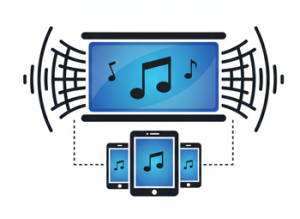
Our new software provides flexible and accessible ways to engage with the scores being presented. Whether you prefer to follow along on the main presentation screen or to use a personal device, ScoreCast will help us stay on the same page.
Following the Main Screen
For delegates who prefer the classic session experience:
- Large, Clear Display – High-resolution score viewing on the main presentation screen
- Full Attention – Focus entirely on the music and conductor without device distractions
- Page Scrolling and Turning – Enhanced page scrolling/turning experience should allow singers to keep up
Use a Personal Device
For delegates who want enhanced control and accessibility:
Instant Access
- QR Code Entry – Simply scan the QR code displayed at the start of each session
- Any Device – Works on smartphones, tablets, laptops – iOS, Android, Windows, Mac
- No App Required – Runs directly in your web browser
- Immediate Connection – Join sessions instantly without downloads or registrations
Automatic Page Synchronization
- Live Page Following – Your device automatically follows the presenter’s page changes
- Custom Zoom Levels – Set your own zoom level independent of the presenter’s display
- Personal Scroll Position – Scroll within pages to focus on specific sections
- Independent Navigation – Briefly look ahead or review previous pages while staying connected
- Manual Sync Button – Instantly return to the presenter’s current page
- Cross-Platform – Works identically across all devices and operating systems
- Responsive Design – Automatically adapts to your screen size (phone, tablet, laptop)
Getting Started
Option 1: Traditional Following
- Take your seat and focus on the main presentation screen
- Follow along as the presenter navigates through materials
- Enjoy the shared group experience
Option 2: Personal Device
- Connect to the Wi-Fi (details will be provided) or use your mobile data
- Scan the QR code displayed on-screen or ask another delegate to share it with you
- Your device automatically syncs with the presentation
- Customize your viewing experience as needed